What goes wrong in an office move, from the IT side
10 September 2026 · 7 min read · Optimum IT Solutions
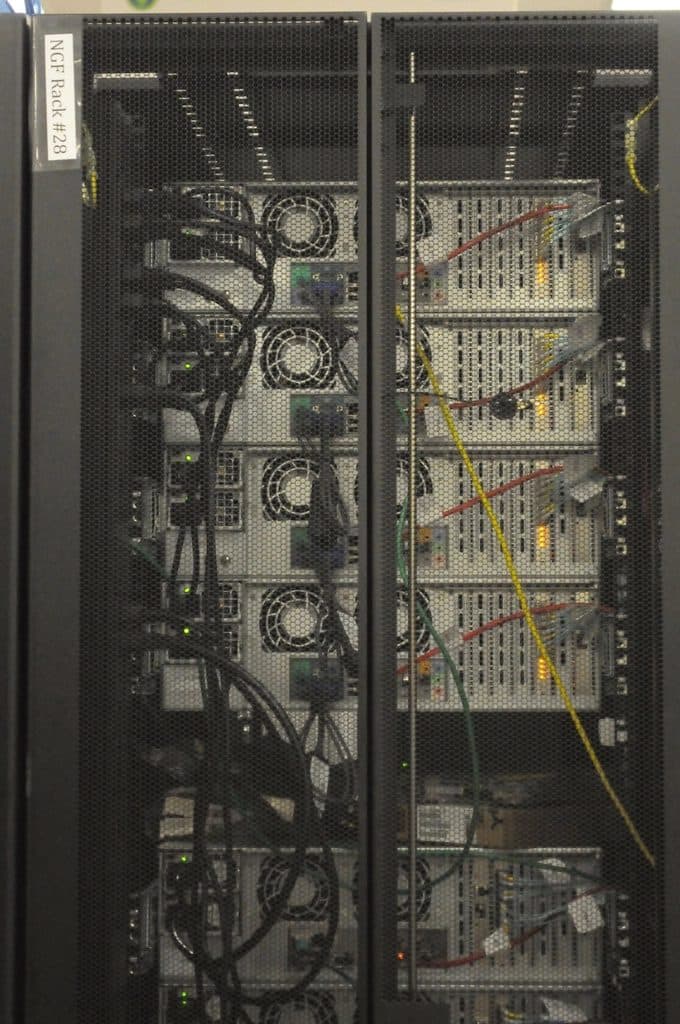
Everybody plans an office move around the furniture. The desks arrive, the chairs arrive, and then somebody asks where the internet is, and the answer turns out to be six weeks away.
An office move is one of the few IT jobs with a hard deadline set by somebody else. The lease ends on a date. The removal van is booked. Nothing about the technology can slip to next week, and most of the things that go wrong go wrong because they were started too late rather than because they were done badly.
This is a rough map of what to think about and when. It is written for the person who has just signed a lease and realised the IT is now their problem.
Lines take weeks, and nobody tells you that early enough
The single biggest cause of a painful office move is the connection. A new business line at a new address is not a same week job. Depending on what is already in the building, the provider may need to arrange a survey, run new fibre from the street, get permission from the landlord and sometimes dig. That is measured in weeks, occasionally months, and no amount of chasing compresses civil works.
So the order of operations for the lease is: sign, then order the line, then plan everything else around the install date the provider gives you. Not the other way round. Ask the landlord or the agent what is already installed in the unit, because an existing fibre presence in the building changes the timeline enormously compared with a bare shell.
Have a fallback ready regardless. A mobile broadband router with a decent data allowance will keep a small team emailing and taking card payments for a fortnight if the install slips. It is not a nice way to work and it is a great deal better than not trading. Order it before you need it, not on the morning you discover you need it.
If your phone numbers are moving too, start that conversation at the same time. Porting a number between providers runs to a regulated timetable and it does not care about your removal van.
Who owns the router
This sounds like a small question. It is not. In a lot of small offices the router, the firewall and sometimes the switch belong to the internet provider, not to you, and they stay with the line rather than with the business. If you are changing provider as part of the move, you may be handing back the box that holds your firewall rules, your port forwards and your wifi configuration.
Even where the kit is yours, the configuration usually is not written down anywhere. It lives in the head of whoever set it up, or in the box itself. If the box goes back in a jiffy bag, so does the configuration.
Work out three things before anyone unplugs anything. Which pieces of network equipment do you actually own. Who holds the administrator password for each one. And is anything at the old site licensed or tied to the old address, such as a support contract or a fixed IP address that services elsewhere are expecting traffic from.
The fixed IP point is worth dwelling on, because it is a quiet one. If a supplier's system, a card terminal, a VPN or a remote access setup has your old office IP address on an allow list, all of that stops working from the new address until each of those lists is updated. Find them before the move and give the owners of those systems the new address in advance.
Photograph everything before you unplug it
This is the cheapest insurance in the whole project and it takes about ten minutes. Before a single cable comes out, take photographs. Not a general shot of the room. Close, readable photographs of the following.
- The back of the comms cabinet, showing which patch lead goes into which switch port, with the port numbers legible.
- The front of the switches, so you can see which ports had a light on and which were dead.
- The router and any modem, including the label on the underside with the serial number, the model and any default credentials printed on it.
- The back of the server, if you have one, including every cable and every dongle. Licence dongles are small and they get lost in vans.
- The desk phones, the scanner and anything else with a network cable, showing where each one plugs into the wall.
- The wall sockets themselves, with their labels. If a socket says B14, you want to know that before you are stood in a new building guessing.
Label as you go, and write down what you find
Photographs tell you what it looked like. Labels tell the person unpacking it what to do. Cheap masking tape and a marker is fine. Number each cable at both ends as you remove it, and put the small things, the power supplies, the dongles, the mounting screws, into one labelled box that travels with a person rather than in the van.
While you are behind the cabinet you will find things nobody knew were there. An old server still powered on that everyone assumed was retired. A machine running the alarm software. A phone line for the lift or the fire panel that belongs to the building rather than to you. Write all of it down. Some of it is not yours to move and some of it will need its own arrangement, and both of those are better discovered now.
The order things need to happen in
Roughly, this is the sequence that tends to work. The theme is that the new site should be able to work before the old site stops.
- As soon as the lease is signed, order the connection and ask for the install date in writing.
- Survey the new space. Where does the line come in, where will the cabinet live, is there power and ventilation there, and how many desks need a network socket.
- Book the cabling well ahead. Running data points is disruptive and cheaper before the furniture arrives than after.
- Order the mobile broadband fallback and test it in the new building.
- Get the line installed and prove it works, ideally a week or more before anybody moves.
- Set up the network, the wifi and the printing at the new site while the old site is still running.
- Move the phones and the numbers on a planned date, with call routing tested first.
- Move the physical kit last, over a weekend or an evening, using your photographs.
- Keep the old connection live for a short overlap if the contract allows. Paying for two weeks of two lines is cheap next to a week of no line.
The first morning in the new building
Expect small things. A printer that is not found because it was set up by IP address and the address range changed. A machine that will not join the wifi. A scan to email that stops because it was pointed at the old network. A door entry system that turns out to have needed a network cable nobody mentioned.
Have somebody who knows the setup physically present on the first morning rather than at the end of a phone. That is the single thing that turns a rough day into a quiet one, and it is why the first working day after a move deserves as much attention as the move weekend itself.
If you are staring at a lease and a date and you are not sure what to start first, tell us the date and the address. In our experience the answer is usually the line, and knowing that early is worth more than any of the rest of it.
Sources
Related
Want a straight answer on this?
Tell us the job that is costing you the most time. We will look at it and tell you honestly what, if anything, is worth doing about it. The first conversation is free.
Get a quote